
Document Management Workspace
A SharePoint document management demonstration focused on transforming scattered business files into an organized, searchable, and structured information environment.
This demo highlights a few ways to organize and filter shared documents. A library can be tailored with additional categories, metadata, views, and permissions to fit the way your team works.
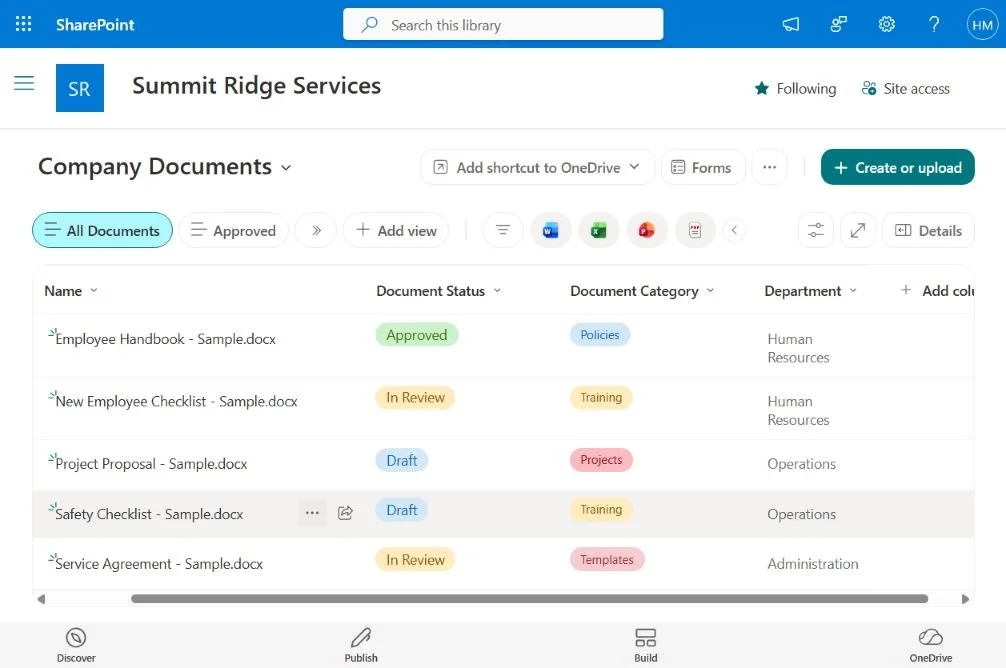
A shared document library uses status, category, and department columns to organize files and make their purpose clear at a glance.
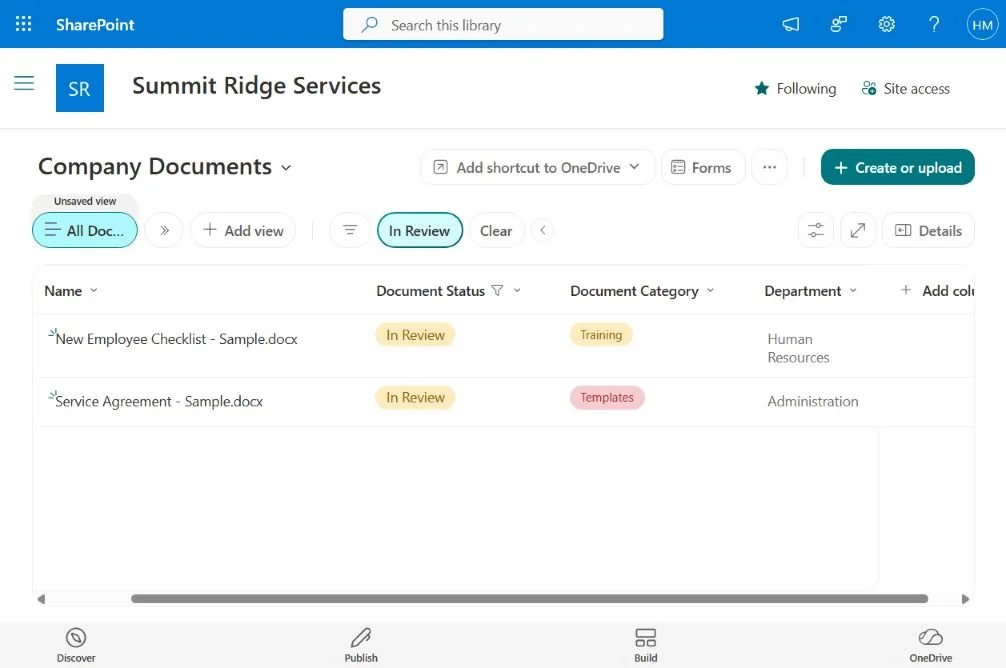
A filtered view brings documents marked “In Review” together, making it easier to focus on items awaiting review.
Project Overview
This concept showcases a SharePoint document library configured around meaningful metadata, document categories, and customized views.
Example workflows include organizing client records, filtering files by project or document type, and maintaining document versions as information changes.
The demonstration highlights how a structured document environment can reduce time spent searching for files and support more consistent information management.